Automated operations
Scheduled restarts, player warnings, Steam and Workshop updates and controlled startup workflows.
DAYZ SERVER MANAGEMENT
Manage multiple DayZ servers, mods, updates, players and backups from one central interface – hosted directly on your own Windows server.
In active development · Private testing in preparation
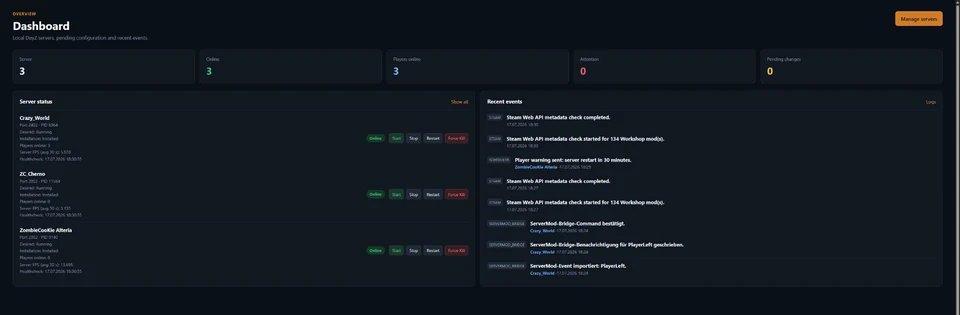
Workshop updates, SteamCMD, scheduled restarts, backups, RCON, logs and broken configurations all require attention. DayZ Server Manager combines these tasks in controlled, traceable workflows.
CORE FEATURES
From scheduled maintenance to live administration: central workflows, clear states and traceable changes.
Scheduled restarts, player warnings, Steam and Workshop updates and controlled startup workflows.
Detects crashes, freezes, inactive logs and unavailable query ports, with controlled recovery.
Manage Workshop metadata, downloads, deployments, server assignments and load order centrally.
RCON, players, bans, chat, live map and events in one interface.
Safe editing, automatic backups, version history and recovery for configuration and persistence.
Player analytics, server FPS, stability trends and explainable loot recommendations.
Manage your DayZ servers from a browser – locally, across your network or securely over HTTPS. User groups, server-specific access and granular permissions ensure that each user can only see and use the features assigned to them.
MULTI-USER ADMINISTRATION
DayZ Server Manager is fully manageable through the web and supports multiple users with separate accounts, groups and server-specific permissions.
The web interface runs on your own system. It is not a third-party hosted cloud panel.
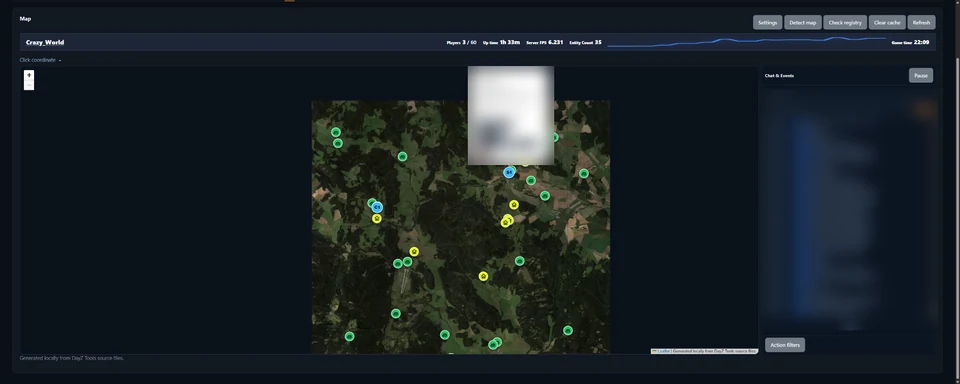
LIVE ADMINISTRATION
Track players, vehicles, events and custom objects live. Communicate with players and perform administrative actions directly from the map.
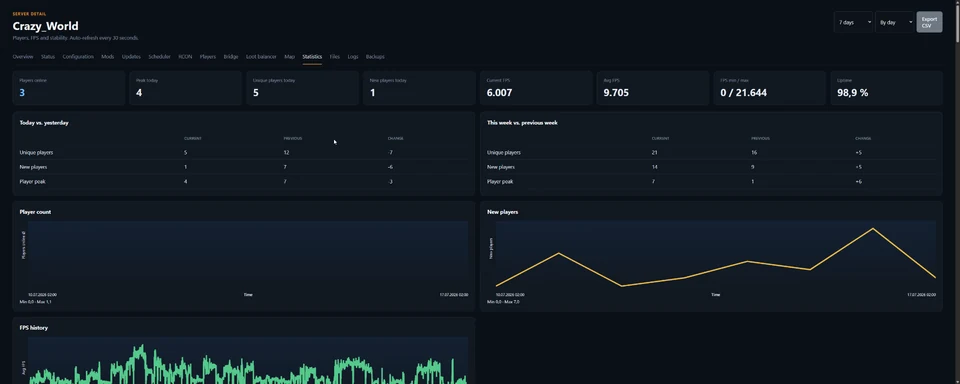
ANALYTICS
Track player growth, server FPS, uptime and stability. Raw measurements are aggregated carefully without turning missing data into misleading zero values.
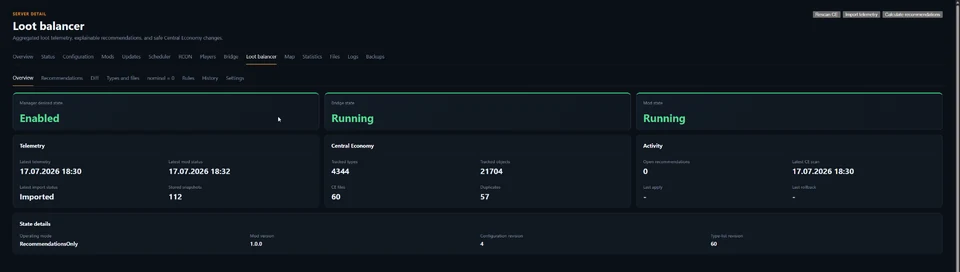
CENTRAL ECONOMY
The Loot Balancer analyzes aggregated telemetry, detects all active Types files and creates explainable recommendations for nominal and min. Changes remain controlled, backed up and reversible.
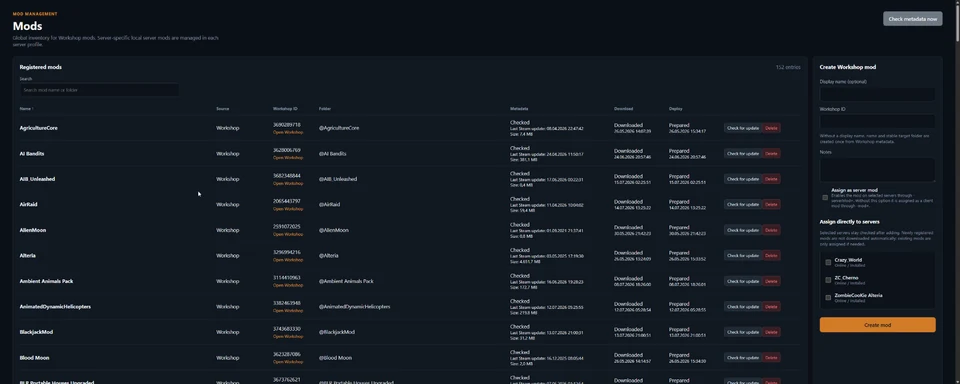
WORKSHOP & DEPLOY
Register Workshop mods, check metadata, assign them to multiple servers and install only what is missing or outdated.
SELF-HOSTED
DayZ Server Manager runs on your own Windows system. Server data, player analytics, backups and configuration remain under your control.
Administration is provided through a responsive web interface and can be accessed locally, across a LAN, through a VPN or securely over HTTPS, depending on the deployment.
Central services are used only for product updates, bridge/map packages and future license validation. Day-to-day server operation remains local.
DEVELOPMENT STATUS
The manager is already used on multiple production DayZ servers. The installer, update system and public testing process are currently being prepared for a wider release.
There is intentionally no fixed release date yet. Quality and safe migration come first.
COMMUNITY
Connect with other DayZ server owners, follow development updates and get access to future testing opportunities.
FAQ
Yes. The manager is installed locally on your Windows system. Day-to-day server operation and your data remain with you.
Windows 10/11 and current Windows Server versions are planned. The final compatibility matrix will be published before the public beta.
Yes. The manager is designed for multiple server instances with separate ports, mods, schedules and permissions.
No. The optional server bridge runs on the server. Players do not need to install an additional mod for it.
Yes. Existing server directories and configurations are intended to be connected without rebuilding the server from scratch.
Yes. The interface is web-based and can be accessed across a local network, through a VPN or externally with a secure HTTPS configuration. The manager itself continues to run on your own system.
Yes. Multiple users can have separate accounts and groups. Permissions can be assigned granularly and limited to specific DayZ servers.
Yes. Updates are signed and verified and can be installed automatically or after confirmation, depending on the installation.
A fixed date will only be announced once the installer, migration and update workflow have been tested reliably.
Join the early access list and be the first to know when private testing spots become available.
